Thursday , May 7 2026
Home / Reviews / Gadgets / How to Run ANDROID On Any Computer (Remix OS)

How to Run ANDROID On Any Computer (Remix OS)

Hey guys, on this video i just want to share what i believe to be the easiest way to run ANDROID on any computer.
And that is Remix OS http://www.jide.com/en/remixos

Really easy to install and to use, and compatible with almost any device available.

We can run Android off a USB Thumb Drive or USB external drive and it will be able to be used in any PC.

Its not perfect but i agree 100% with Remix OS statement “THIS IS JUST THE BEGINNING” as i do believe that this is a huge step in the right direction.

Tomorrow, March 1st the Beta version will be available to download with some great features 🙂

Playstore does not come installed by default but just go here https://groups.google.com/forum/#!topic/remix-os-for-pc/b0ij-vCPiQI and install it 🙂

Hope you guys find the video useful
All the Best
RJ

About Roberto Jorge

I Love to share the experience that i have with Technology Gadgets on my Youtube channel. You may find all sorts of Tech items on the channel, such as Android Media Players, Storage, Desktops, Laptops, Tablets, Mobile Phones and much more. Love spending time with my family & friends, in particular my 2 Kids. Im a teacher and Corporate Trainer in the area of Restaurant and Bar Management, Enology and Wine Tasting, which i love.

Check Also

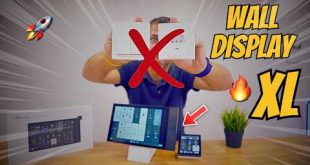
🤯 WIRELESS Tablet on the Wall 🚀 Goodbye Switches 🔥 Shelly Wall Display XL + Home Assistant

🤯 WIRELESS Tablet on the Wall 🚀 Goodbye Switches 🔥 Shelly Wall Display XL + Home Assistant

Shelly Wall Display XL: https://shorturl.at/2l2Va or https://amzn.to/3Or8H93 (link affiliated) 🚨 Products Tested 🚨 👉 https://linktr.ee/robertojorgelinks ✅ ITEMS I USE: ✅ 🅿️ Philips Evnia 49": https://shorturl.at/5R6DM 🅿️ Philips 5K: https://shorturl.at/qLyKL 🅿️ Sony ZVE- 10 II https://geni.us/gX84fC 🅿️ Sony ZVE-10: https://geni.us/SonyZVE10s 🅿️ Sigma 12mm F1.4: https://geni.us/vQJ1LKc 🅿️ Sigma 16mm F1.4: https://geni.us/Sigma16m 🅿️ DJI Action 4: https://geni.us/DJIa4 🅿️…