Roberto Jorge Motion Graphics & Tech Reviews
Triple Display Docking Station: http://geni.us/PlugableTRIPLE
Today we are connecting a MacBook Early 2016 to a Triple Display Setup using a Plugable Triple Display Docking Station.
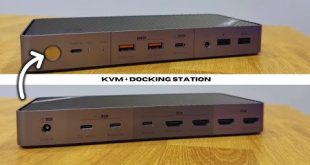
This Docking Station besides having the option to connect 3 displays, one of which up to 4K resolution also has a lot of connectivity.
Enough to plug only one cable to our laptop and get all our accessories connected and have the laptop charged.
My tests revealed that this docking station will be useful for someone that has a similar laptop to the MacBook and is looking for a Triple Display for Office Productivity. On the other hand for someone looking for a Gaming solution as we can see on the video and as expected this is not the solution.
Hope you guys enjoy the video
RJ 👍
MacBook Pro 15″ with a Triple Display Setup: https://youtu.be/P_Ct3nzQg4w
❇️ ❇️ ❇️ ❇️ ❇️ RELATED REVIEWS ❇️ ❇️ ❇️ ❇️ ❇️
QTS 4.2: https://youtu.be/mkQAKkuJwBA
INATECK DOCK: https://youtu.be/aLWj_b6dgE4
TERRAMASTER D2-310: https://youtu.be/sBUXMv9DnwQ
QNAP TS 453: https://youtu.be/ZWdFs97lKiY
QNAP TS 268: https://youtu.be/Uxhk7YldrAU
ASUSTOR AS 3102T: https://youtu.be/PAmYPsqTXi0
THECUS N2810: https://youtu.be/pwrYaPVUvfA
TERRAMASTER F2-220: https://youtu.be/Nh117ity4eY
TERRAMASTER D5-300: https://youtu.be/n5GKhgGVWag
ZYXEL 540: https://youtu.be/fZbSzAtJFmw
KODI SERVER ON NAS: https://youtu.be/x0LdjM5ToFA
WD EX2: https://goo.gl/pRHN8s
WD EX4100: https://goo.gl/RHgWix
◉◉◉◉◉◉◉◉◉◉◉◉◉◉◉◉◉◉◉◉◉◉◉◉◉◉◉◉◉◉◉◉◉◉◉◉◉◉◉◉◉◉◉◉◉◉◉◉◉◉◉◉◉◉◉◉◉◉◉◉◉◉
Facebook: https://goo.gl/rCmcFZ
Twitter: https://goo.gl/LI299l
Instagram: https://goo.gl/Y4pjLt
Videohive: http://goo.gl/Sp6Wvr
◉◉◉◉◉◉◉◉◉◉◉◉◉◉◉◉◉◉◉◉◉◉◉◉◉◉◉◉◉◉◉◉◉◉◉◉◉◉◉◉◉◉◉◉◉◉◉◉◉◉◉◉◉◉◉◉◉◉◉◉◉◉